


25 Sneaky Online Tools and Gadgets to Help You Spy on Your Competitors
Even before you entered into the world of “business”, you were watching your competition. Whether it was in a classroom or on a sports team, you not only wanted to keep up, you wanted to know where the marker was set so you could go one step further. It was about finding new opportunities and setting new goals based on someone you aspired to beat.
At this time, when search is so important and detailed, and the Internet has grown so extensively, you have tons of different factors to consider when spying on your competition. This is where marketing tools come into play.
In many cases, tools that help you monitor your own web performance also can help you gather data on your competition. So, you might be using some of these tools already, without using the features that help you evaluate your competitors. Here are some of the best tools out there:
1. Google Alerts – a tool for monitoring mentions
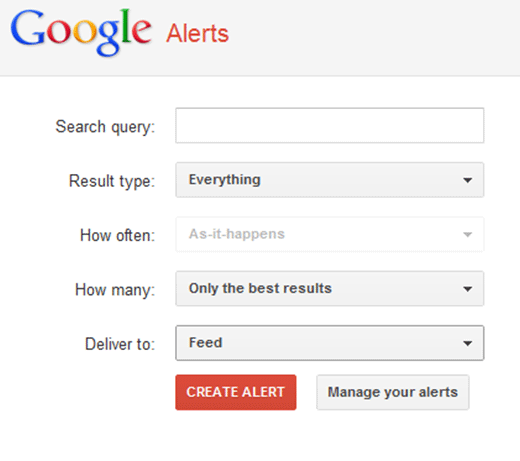
This is a very simple and easy-to-use tool that will send reports right to your inbox. If you want to know every single time your competitor is mentioned online, whether as a link or simply a mention, you’ll get that report. You can monitor keywords as well. It’s up to you what you want to track.
Best Ways to Use This Tool:
- Get competitors’ backlinks
- Monitor social (or other website) mentions of your company
- Monitor keyword mentions
Price: Free
2. SocialMention – a tool for monitoring mentions
This tool has lots of cool features that focus on blogs, video, and social (all the “cool” stuff). You enter in a search term, either a keyword or a company, and the tool will tell you what’s being said about that term across blogs and social platforms. You can see how many times and how often it’s mentioned and you even can subscribe to an RSS feed for that term, so you never miss a beat.

Best Ways to Use This Tool:
- Monitor and track keyword mentions
- Monitor company mentions
- Cross-analyze what is being said across different social networks
Price: Free
3. Topsy – a tool for social media
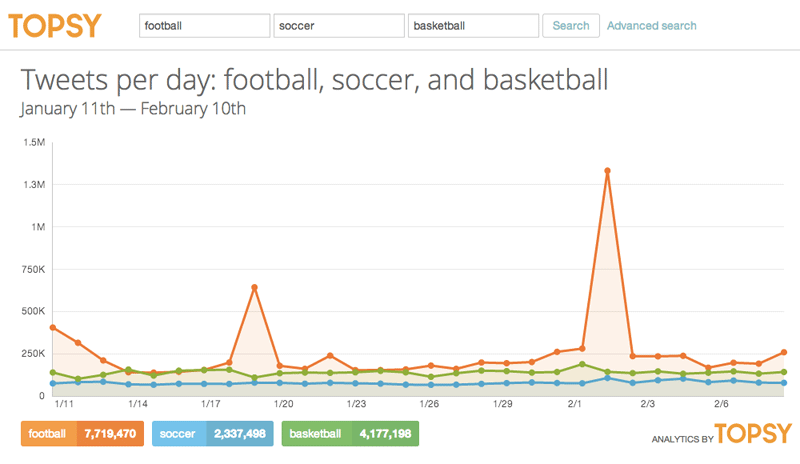
This is a tool that’s all about Twitter. You can look up your competitors’ tweets all the way back to 2006 (although you surely won’t need to go back more than a few months), and get free information when you type in a site. You can see how many tweets that company had, a list of those tweets, and which tweets were influential. Feel free to filter and get whatever information you need.
Best Ways to Use This Tool:
- View Twitter data of competitors
Price: This is a tool where the PRO version might be best. Although you can get the information discussed above for free right away, the PRO version gives you real-time results and better reports. The PRO account is $12,000 annually with unlimited data and email support.
4. Marketing Grader – a tool for monitoring mentions
This is a cool tool because it gives each of your competitors an overall score based on social media activity, blogging success, SEO, and lead generation. It’s fun to see if their score fluctuates and then to notice if your score does the same.
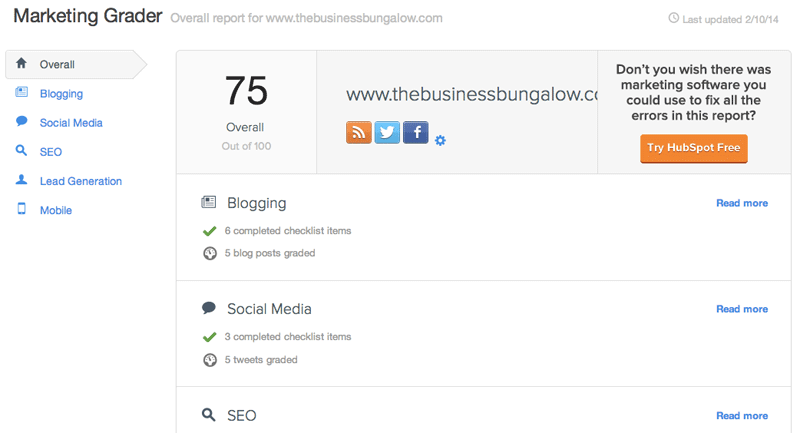
Best Ways to Use This Tool:
- Monitor social activity of competitors
- Monitor blogging and SEO success of competitors
- Monitor lead generation success of competitors
Price: Free from HubSpot
5. Competitive Research & Keyword Research Gadget
This is a really cool tool because you can place it right on your site and then get information about your competitors all in one place. In other words, it’s more of a “gadget” than a tool, meaning it’s a little button you can use to find information using another competitive analysis tool (which the installation will give you).

Best Ways to Use This Tool:
- Place the tool on your site for easy access
- Gather information on your competitors in one place
- Use it in conjunction with another tool of your choice
Price: Free
6. InfiniGraph – a tool for social media
This tool tracks what is trending in your social media circles by focusing on your specific industry. The idea behind this tool is that you “use the power of your audience to know what content and brands are trending with them.” This is a tool that can be used as much for your company as for your competitive analysis.

Best Ways to Use This Tool:
- Track social media trends in your industry
- Track social trends of your competitors
- Obtain insight into your audience
Price: Free
7. Google Keyword Planner – a tool for keywords
Formerly the Google Keyword Tool and Traffic Estimator, this tool seems to have it all. Although it doesn’t focus specifically on competitor analysis (it’s more focused on your own website), finding competitor data is one feature of the tool. Because it’s from Google, it’s considered one of the best out there.
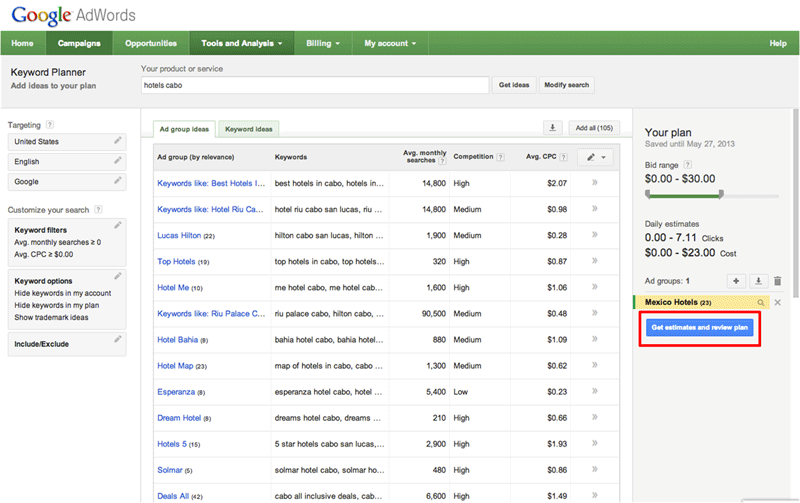
Best Ways to Use This Tool:
- Find competitor keyword data (paid and organic)
- Monitor your own website as well as those of your competitors
Price: You need to sign up for a free AdWords account to access the tool
8. Instapaper – a tool for organization
This is a simple tool that allows you to save web pages for later to read on your computer, mobile phone, or even Kindle. Once you sign up for an account (which takes just a few minutes), you can add the bookmarklet to your bookmark bar to keep things easy. When it comes to spying on your competition, it’s incredibly helpful to know who your competition is, first and foremost, and this tool will help.
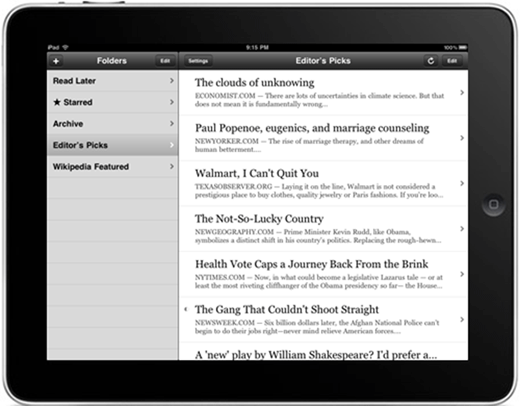
Best Ways to Use This Tool:
- Save webpages to read later
- Add a bookmarklet to keep your content organized
- Visit competitor sites and save content that might be of use to you
Price: Free
9. Monitor Backlinks – A tool for keywords
This tool is new on the scene, but it’s something I’ve recently tried and really enjoyed. This is another company with great customer service, and you can follow different competitors’ backlinks and have them sent straight to your inbox, with a description of which are the highest domains, which are the lowest, and whether or not they are dofollow or nofollow. You have a dashboard you can look at and compare your results, but I like to use it primarily to look at links my competitors are earning.
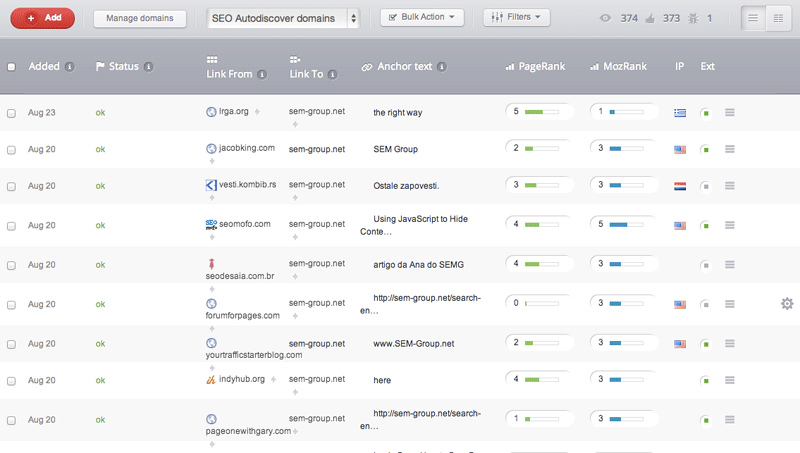
Best Ways to Use This Tool:
- Send competitor backlinks to your inbox
- Analyze the highest and lowest domains of the links of your competitors
- Get a good picture of links that are nofollow vs. dofollow
- Compare your results with competitors thanks to the dashboard
- Find new link-building opportunities
Price: The price here depends completely on how many domains you want to manage. If you want to manage only 2, it is $19.00/month, 5 is a Plus plan for $49.99/month, 10 is a Professional plan for $99.90/month, and anything more is a custom plan which you would discuss with the company to determine a price.
10. SEMRush – a tool for keywords
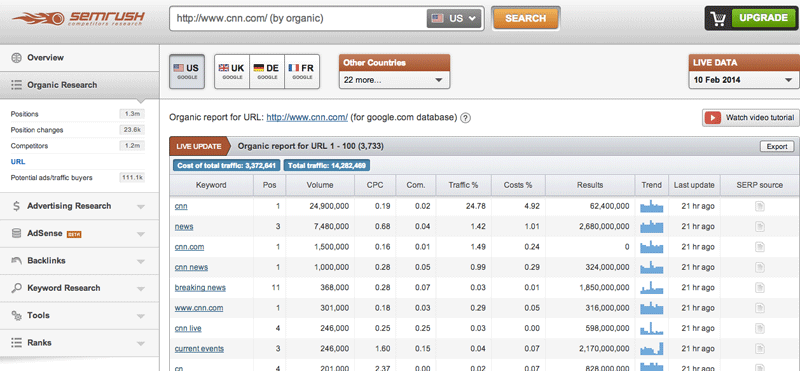
This definitely is one of my favorite tools because it specializes in competitor data. You can visit the homepage and type in a competitor’s website (completely free) and immediately get information regarding organic keywords and rank, ad keywords, and traffic. The best part: it all comes to you in a graphic format.
Best Ways to Use This Tool:
- Get organic keywords and ranks of competitors
- Get ad keywords and traffic numbers of competitors
- Look at data in a graphic format
Price: You can get a large amount of information right on the homepage search bar. (Try it out yourself and you’ll see in less than three seconds.) If you want some really detailed data, you can upgrade for $69.95/month.
11. SpyFu – a tool for keyword and ad monitoring
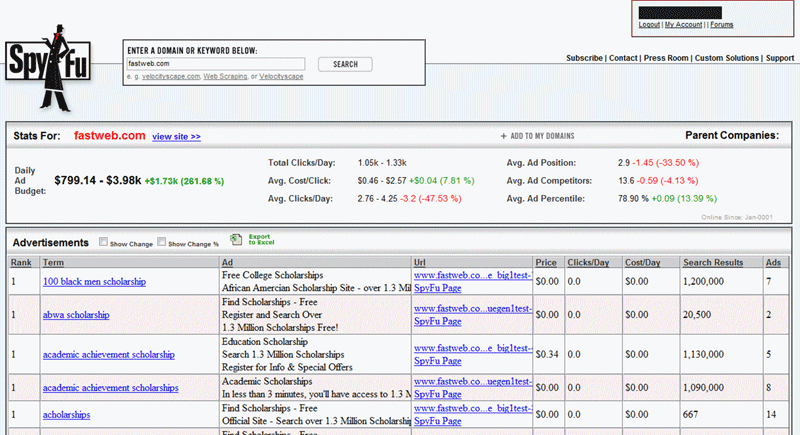
This is an easy-to-use tool that lets you know which keywords your competitors are targeting, both in organic search and in AdWords. You simply type in your competitor and you can download an entire list of these keywords.
Best Ways to Use This Tool:
- Obtain a list of keywords your competitors are targeting for AdWords
- Obtain a list of keywords your competitors are targeting in organic search
Price: The Basic plan is $79/month, the Professional plan is $139/month, and the Agency plan is $999/month.
12. Website Review from WooRank – a little bit of everything
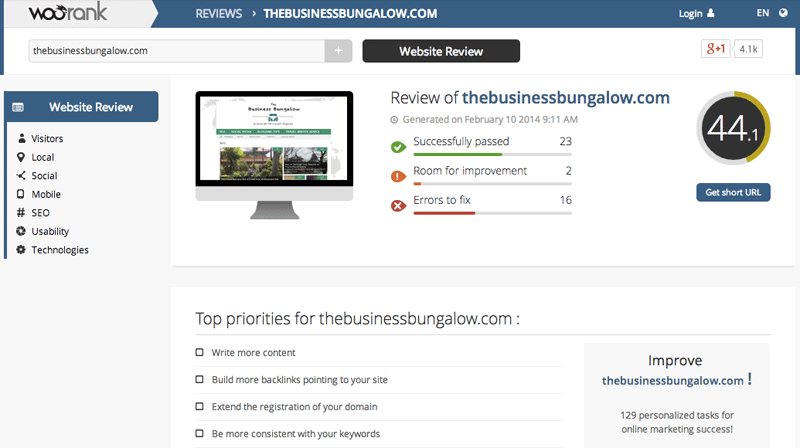
This is a tool that has competitor data as just a small section of all it can do. You create your project, and then it will help you track and optimize your website based on the results of that project. If you want to spy on competitors, that’s an option.
Best Ways to Use This Tool:
- Create projects to track
- Optimize your website based on project results
- Spy on your competitors as a potential project
Price: For agencies, they recommend the Premium plan for $149/month. For Webmasters, they recommend the PRO plan (only 1 project) for $49/month. You can start with a free trial.
13. SpyOnWeb
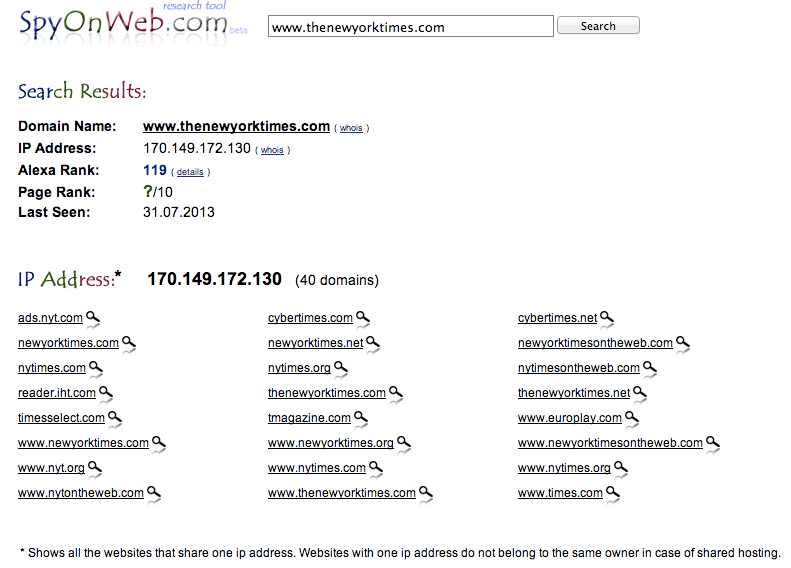
This is a very popular tool because it’s so easy to use. With this tool, you enter a URL, Google AdSense or Google Analytics code, or IP address to find out what resources belong to the same owner. In other words, when you type in a domain, you get results for all of the different IP addresses and then a list of domains that have that same IP address (in some cases a site will have more than one IP address).
Best Ways to Use This Tool:
- Discover the different IP addresses to find domain information
Price: Free
14. SimilarWeb – a tool for web rankings
This is a tool that allows you to get traffic insights for any website. You type in a website and right away you’ll get global rank, country rank, and category rank of that website, along with a nice graph that shows the weekly number of visitors in the last 6 months. You can see how many leads come from social, search, referrals, display ads, and many more. There also is a big orange bar that lets you add competitors and even gives you suggestions on who you may want to watch.

Best Ways to Use This Tool:
- Obtain traffic insights for any website
- Obtain global, country, and category rank for any website
- Receive suggestions of competitors you may want to watch
- View the data in graphic format
Price: There is a basic account for $99 per month, an advanced account for $599 per month, and an enterprise account for $2,999 per month. The basic and advanced accounts offer a free trial. You can contact the company if you’re interested in the enterprise package.
15. Compete Digital Marketing Solutions – a tool for web rankings
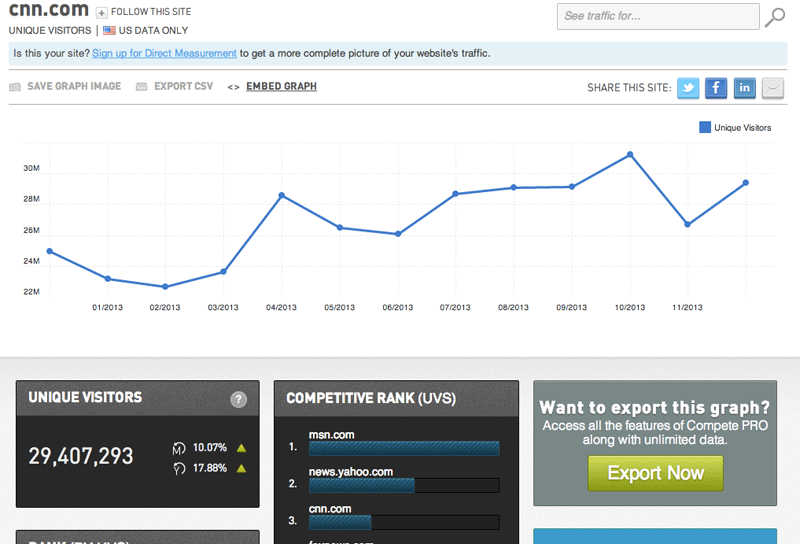
This is a tool from Compete and it works very much like the SimilarWeb tool. You type in a domain, and immediately you see competitive rank and unique visitors. You can export the CSV to help get your whole team involved.
Best Ways to Use This Tool:
- Obtain the competitive rank and unique visitors for any website
- Export the CSV to get your team involved in data
Price: If a site you’re looking for has relatively low traffic, you’re going to have to be a PRO member to get any information. There is an introductory package for $199 and an advanced package for $649 per month. There also is an option for a custom plan, in which case, you talk to the people in charge and create something that works for you (and negotiate a price).
16. What Runs Where – a tool for monitoring ads
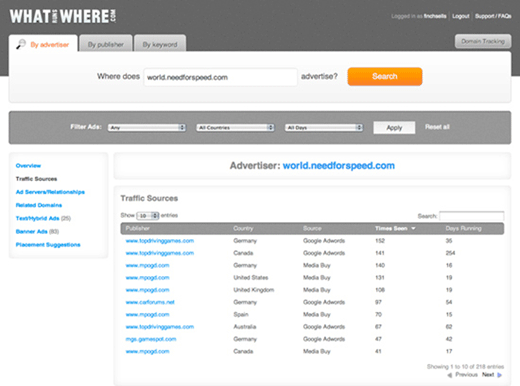
Although this resource specializes in online media buying and helping businesses buy correctly, it has some great features for watching your competition. It supports over 40 ad networks across several different countries and allows you to track a list of your competitors. You then get an alert every time that competitor launches a new ad or publishes new content.
Best Ways to Use This Tool:
- Track ad production of competitors
- Receive alerts each time a new ad or content is published
Price: You have the choice between getting results about Advertising Awareness, Mobile Awareness, or both. The plan for both, the third option, is the most popular and runs $299/month for the Basic plan and $700/month for the Premium plan.
17. Open Site Explorer – a tool for backlinks
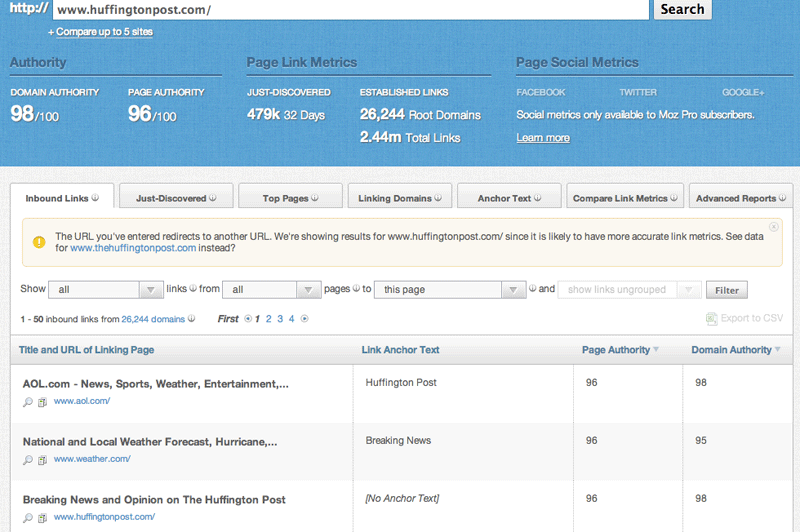
This tool comes from Moz, so you know it’s got to be good. It’s one of the most popular tools out there today, and it allows you to follow your competitors’ link-building efforts. You can see who is linking back to them regarding PageRank, authority/domain, and anchor text. You also can compare link data, which can help keep things easy.
Best Ways to Use This Tool:
- Find out who is linking to your competitors
- Compare link data of your competitors
Price: You can get some data for free right away, but in order to use Open Site Explorer to the fullest extent, you will need Moz’s Analytics Standard package for $99/month.
18. Ahrefs – a tool for backlinks
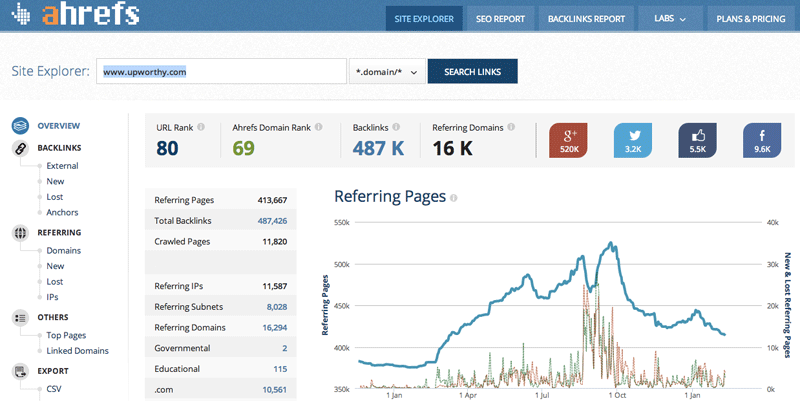
This is another popular tool. It will show you things like top pages, IPs, and external links regarding your competitors. Speaking from experience, the site has great customer service and works with you to make sure you get what you need.
Best Ways to Use This Tool:
- Find IPs and external links to your competitors
Price: This tool is free if you want only 3 different competitor reports and 10 results (limited time only), but most upgrade for $79/month to get more detailed information.
19. Alexa – a tool for web rankings
This is one of the more advanced tools available, and it has been rating websites for a long time (much like a PageRank). In fact, if you have the Moz toolbar, you will see the Alexa ranking of a site right there on your SERP. This tool does it all when it comes to spying on your competitors (linking, traffic, keywords, etc.) and is an excellent resource if your competitors are international.

Best Ways to Use This Tool:
- Obtain data on international competitors
- Obtain rankings of websites for an overall picture
Price: The Basic plan is only $9.99/month, the PRO plan is $49/month, and the Advanced plan is $149/month.
20. Simply Measured – a little bit of everything
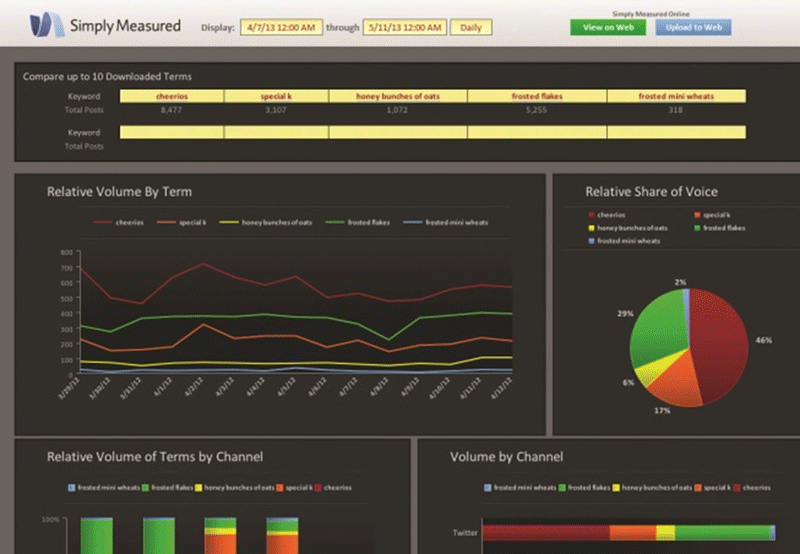
This is another very advanced tool that offers everything you possibly could want to know about your competitors – trends, traffic and conversions, analysis, social media, etc. There are 35 different reports you can access.
Best Ways to Use This Tool:
- Choose one of 35 reports for data on competitors (trends, traffic, social, etc.)
Price: A basic plan is $500/month if you’re interested in data on competitors
21. Majestic SEO – a tool for backlinks
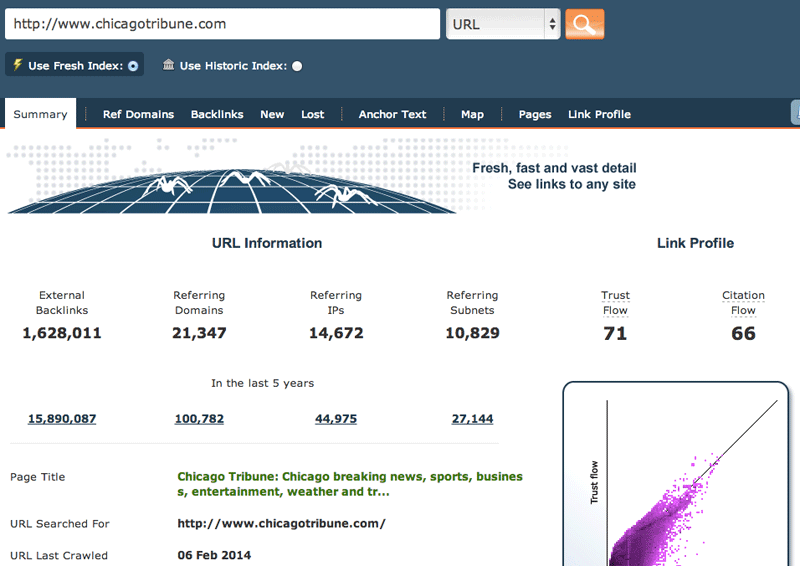
One of the more popular tools, Majestic SEO allows you to download the link profile for any of your competitors’ sites. This means thousands and thousands of links will be right at your fingertips. You can export the link profile, and then slice it and dice it as you wish.
Best Ways to Use This Tool:
- Download the link profile of any competitor
- Export the link profile and move the data around as you see fit
Price: There is a free option, a Silver plan for $49/month or $499.90/year, a Gold plan for $149.99/month or $1,499.90/year, and a platinum plan for $399.99/month or $3,999.90/year. I recommend checking out their pricing page because it lets you know which types of companies should use which types of plans.
22. The Search Monitor – a tool for keywords
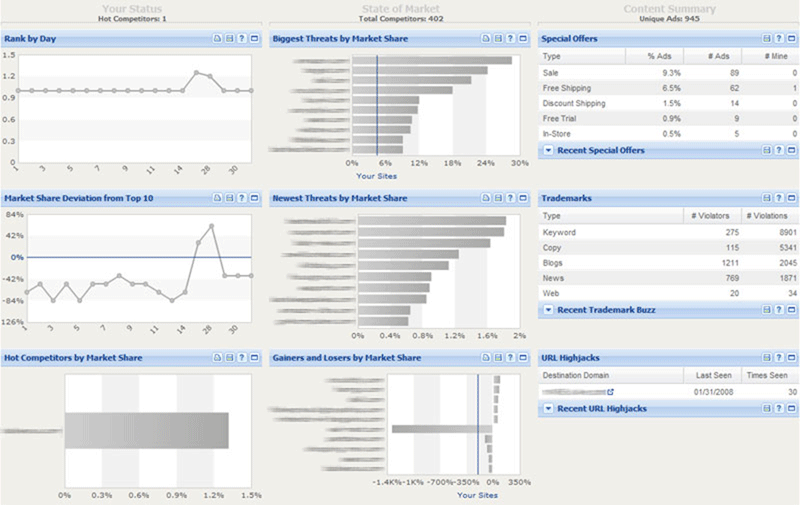
This tool is not nearly as popular as many of the others, but I still think it offers great information. It focuses solely on competitor data. Also, it allows you to monitor affiliates and trademarks. It monitors results from Google, Bing, Yahoo, YouTube, and Baidu along with blogs, websites, forums, news, mobile, and shopping.
Best Ways to Use This Tool:
- Monitor affiliates and trademarks
- View results from Bing, Yahoo, YouTube, and Baidu
- View results from forums, news, mobile, and shopping
Price: There is a Basic package for $299/month, Pro for $499/month, and Ultimate for $799/month. You also can pay a few dollars more for extra keywords. There is an option for an Enterprise package where you call the company and discuss a price.
23. iSpionage – a tool for keywords
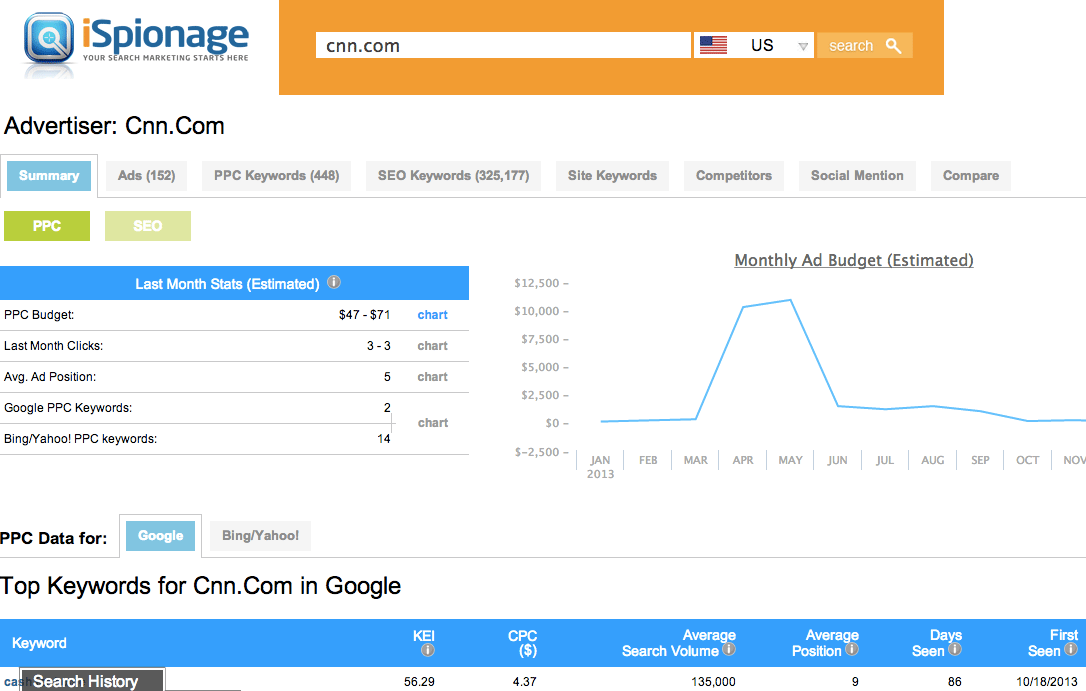
This is another keyword monitoring tool that allows you to type in a competitor and see the best performing keywords for organic as well as for PPC (in both Google and Bing), and how much the competitor spends on both organic and paid search. You can see the competitor’s most effective ad copy, and you can look at graphs that compare all of this data.
Best Ways to Use This Tool:
- Analyze best performing keywords of competitors for organic
- Analyze best performing keywords of competitors for PPC (Google and Bing)
- Find out how much competitors spend on paid search and organic
- View the most effective ad copy of competitors
- View the data in graphic form for comparison
Price: The Silver package is $59/month, the Gold package is $89/month, and the PRO package is $129/month.
24. Ontolo – a tool for backlinks
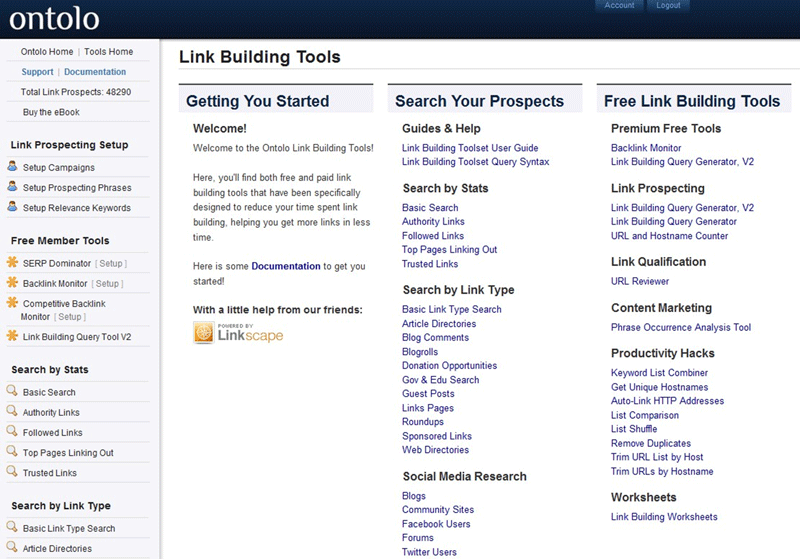
Although often labeled as a backlinks tool, this tool also puts a focus on content marketing. It helps you know how to prioritize your content to keep things moving, learn where to promote your content by identifying authors who link to your content, and gives you suggestions for link-building opportunities. Of course, this is a more advanced tool so there are quite a few more details that go into how it works, which is why I highly recommend their free trial.
Best Ways to Use This Tool:
- Identify authors who link to your content
- Receive suggestions for link-building opportunities
Price: The Solo package is $47/month, the Professional package is $97/month, and the Agency package is $297/month.
25. Link Prospector – a tool for backlinks
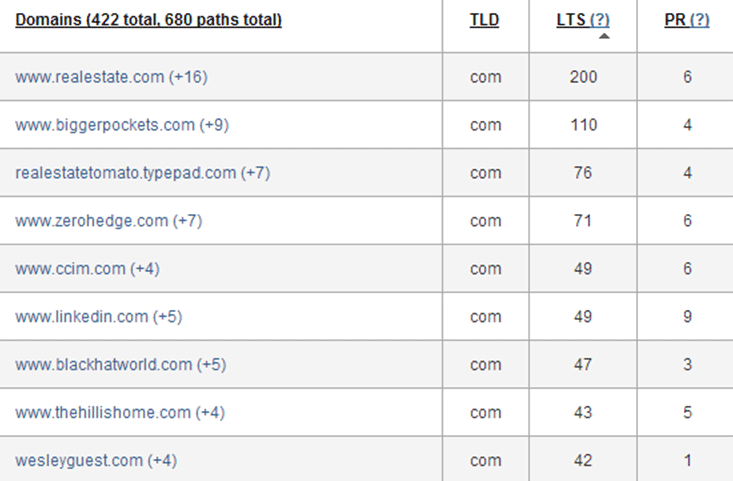
This is one of my personal favorites because it’s all about link building and how that relates to your content. You choose your type of report – guest posting, links pages, reviews, donations, content promotions, or giveaways – and then enter your key phrases. A list of link-building opportunities based on what you’re looking for is generated for you.
Best Ways to Use This Tool:
- Get link-building opportunity suggestions
Price: If you are going by the credit system, you can try it for free with one credit, pay as you go with 5 credits for $10, or pay $2 per credit. After those choices, you can choose to select a package, all of which have monthly fees and all of which have a different number of credits and price per credit per month. The consultant package is $27/month, Agency is $47/month, and Enterprise is $97/month. It’s a tad confusing, so definitely check out the website to see their price chart.
The Takeaway
It’s worth mentioning again that the vast majority of the tools above offer a free trial of their upgraded version so you can give them a test run before making any type of purchase. Definitely take a look at the free trials that are offered. If you can’t find one, try emailing the company. You might be surprised at just how many will give you a free trial even if it’s not explicitly offered! In the end, it’s all about trial and error, and determining your goals and your price range, before choosing the tool that works best.
Can You Check Out Your Competitors Without Using Any Tools?
The answer certainly is “yes,” but it does take a little bit of planning and preparation. If you’re not interested in investing in any tools or relying on any free tools, use the help of Google and Bing to find the site owners by doing some advanced query searches. There essentially are two different approaches you may want to take. Both of the following strategies are more advanced “secret cheats,” but they will keep you away from using any tools!
Find all of your competitors’ websites
There are four steps you can follow if you want to find your competitors’ websites:
- Reverse Google Whois Lookups
- Perform Reverse IP Lookups
- Reverse Google AdSense Lookups
- Reverse Google Analytics Lookups
Making this happen takes some time and thought, so to learn how to complete all of these steps, visit this article from Digital Inspiration.
Find sites hosted on the same server
You can do this easiest with Bing. All you need to do is find the IP address of any website, which you can learn about here, and then go to Bing and type the following into the search box:
ip:<IP Address>
Once you do this, you will be shown a list of all domains that are hosted on the same server as the website you started with, including .com, .net, .in, and many others.